
Mastering Pinterest’s Visual Search: A Step-by-Step Guide to Drive 25% More Traffic by Mid-2026
In the ever-evolving landscape of digital marketing, staying ahead of the curve is not just an advantage; it’s a necessity. For businesses and content creators seeking to tap into a highly engaged audience, Pinterest stands out as a unique and powerful platform. But it’s not just another social media site; Pinterest is fundamentally a visual search engine. Understanding and mastering Pinterest visual search is the key to unlocking its immense potential for driving significant traffic to your website. Our ambitious goal? To help you drive 25% more traffic to your site by mid-2026, purely by leveraging Pinterest’s visual search capabilities.
Imagine your ideal customer, not typing keywords into a search bar, but instead uploading an image of a dream kitchen or a stylish outfit. They’re looking for inspiration, products, and ideas that visually match what they already have in mind. This is the essence of Pinterest visual search, and it’s a game-changer for discovery and conversion. In this comprehensive guide, we will delve deep into the mechanics of Pinterest’s visual search, provide actionable strategies for optimization, and equip you with the knowledge to significantly boost your online presence.
Anúncios
Understanding the Power of Pinterest Visual Search
Before we dive into optimization, let’s truly grasp what Pinterest visual search entails. Unlike traditional text-based search engines, Pinterest’s core strength lies in its ability to understand and interpret images. Users can upload a photo or use the ‘Lens’ feature within the Pinterest app to snap a picture of an item in the real world. Pinterest then analyzes the visual elements – colors, shapes, patterns, textures – and presents visually similar pins, products, and boards. This means that if your content is visually appealing and correctly optimized, it has a higher chance of being discovered by users actively looking for what you offer, even if they don’t know the exact words to describe it.
Why Pinterest is More Than Just a Social Network
- Discovery Engine: Users come to Pinterest with intent – to plan, to buy, to be inspired. It’s less about social interaction and more about personal discovery and future planning.
- Visual First: Every interaction starts with an image. This makes visual quality and relevance paramount.
- Long Shelf Life: Unlike fleeting social media posts, pins have a significantly longer lifespan, continuing to drive traffic months, even years, after they are published.
- High Purchase Intent: A significant percentage of Pinterest users use the platform specifically for purchase decisions, making it a powerful channel for e-commerce.
Setting Your Foundation: Optimizing Your Pinterest Profile for Visual Search
Your journey to mastering Pinterest visual search begins with a solid foundation: your profile. A well-optimized profile signals to Pinterest (and potential followers) what your content is about, enhancing discoverability through both visual and textual cues.
1. Craft a Keyword-Rich Profile Name and Description
Your profile name and description are crucial for Pinterest visual search. Integrate relevant keywords that accurately describe your niche and the content you provide. For example, instead of just "Jane’s Creations," consider "Jane’s Creations | Handmade Jewelry & Unique Gifts." Your description should expand on this, using natural language to explain what users can expect to find on your profile.
Anúncios
2. Verify Your Website
Verifying your website is a critical step. It not only builds trust and establishes your brand authority but also gives you access to valuable analytics, allowing you to track how your pins are performing and driving traffic back to your site. This data is indispensable for refining your Pinterest visual search strategy.
3. Create Niche-Specific Boards
Organize your pins into highly specific and keyword-rich boards. Each board should have a clear theme. For instance, instead of a general "Recipes" board, create "Healthy Weeknight Dinners," "Vegan Brunch Ideas," or "Quick Dessert Recipes." This level of specificity helps Pinterest categorize your content accurately, making it easier for users employing Pinterest visual search to find exactly what they’re looking for.
4. Optimize Board Descriptions and Cover Images
Just like your profile, each board needs an SEO-friendly description. Use relevant keywords to describe the board’s content. Additionally, choose an eye-catching and representative cover image for each board. This visual cue helps users quickly understand the board’s theme and encourages them to explore further.
Strategic Pin Creation: The Core of Pinterest Visual Search Success
The quality and optimization of your individual pins are paramount for success in Pinterest visual search. Think of each pin as a mini-advertisement for your content or product.
1. High-Quality, Visually Appealing Images
This is non-negotiable. Pinterest is a visual platform, and blurry, poorly lit, or uninspiring images will simply get lost. Invest in high-resolution photography or graphic design. Vertical images (2:3 aspect ratio, e.g., 1000×1500 pixels) perform best, as they take up more space in the feed.
2. Keyword-Rich Pin Titles and Descriptions
While visual search relies on images, text still plays a crucial role. Use relevant keywords in your pin titles and descriptions. Think about what terms your target audience would use to search for your content. Don’t keyword stuff; instead, write natural, descriptive language that includes your primary keywords.
3. Utilize Rich Pins
Rich Pins provide more context about your content by pulling metadata directly from your website. There are several types: product, recipe, article, and app. For e-commerce, product Rich Pins are invaluable, displaying real-time pricing, availability, and where to buy. For bloggers, article Rich Pins show the headline, author, and story description. Implementing Rich Pins significantly enhances your visibility and credibility within Pinterest visual search results.
4. Alt Text for Images
This is an often-overlooked SEO element that is vital for Pinterest visual search. Just like for website SEO, alt text helps Pinterest understand the content of your image. Describe the image accurately and include relevant keywords. While not directly visible to users on the pin itself, it’s a powerful signal for Pinterest’s algorithms.
5. Add a Clear Call to Action (CTA)
Every pin should have a purpose. Encourage users to click through to your website with a clear and compelling call to action. This could be in the pin’s description or even subtly integrated into the image itself (e.g., "Shop Now," "Read More," "Get the Recipe").
Advanced Strategies for Boosting Traffic with Pinterest Visual Search
Once you have the basics down, it’s time to implement more advanced tactics to truly maximize your traffic growth and hit that 25% increase by mid-2026.
1. Leverage Pinterest Trends and Seasonal Content
Pinterest is a planning platform. Users often start searching for ideas months in advance of holidays, events, or seasons. By aligning your content with Pinterest trends and seasonal cycles, you can tap into massive search volumes. Use Pinterest’s own "Trends" tool to discover popular and emerging topics in your niche. Create content and pins well in advance to capture this early interest.
2. Incorporate Idea Pins
Idea Pins are multi-page visual content that allows you to tell a story, share a tutorial, or showcase a collection of products. They are highly engaging and can significantly increase dwell time on your profile. While they don’t directly link out in the same way standard pins do, they are excellent for building brand awareness, showcasing expertise, and encouraging users to follow your account, which then exposes them to your other link-driving pins. Think of them as a way to build authority and engagement, ultimately funneling users towards your monetized content via other pins optimized for Pinterest visual search.
3. Create "Shop the Look" Pins
For e-commerce businesses, "Shop the Look" pins are a goldmine. These pins allow you to tag individual products within a single image, making it incredibly easy for users to discover and purchase items. If someone visually searches for a living room, and your "Shop the Look" pin appears, they can instantly click on the sofa, rug, or lamp to find out more and buy. This directly aligns with the visual search intent of many Pinterest users.
4. Utilize Pinterest Analytics for Insights
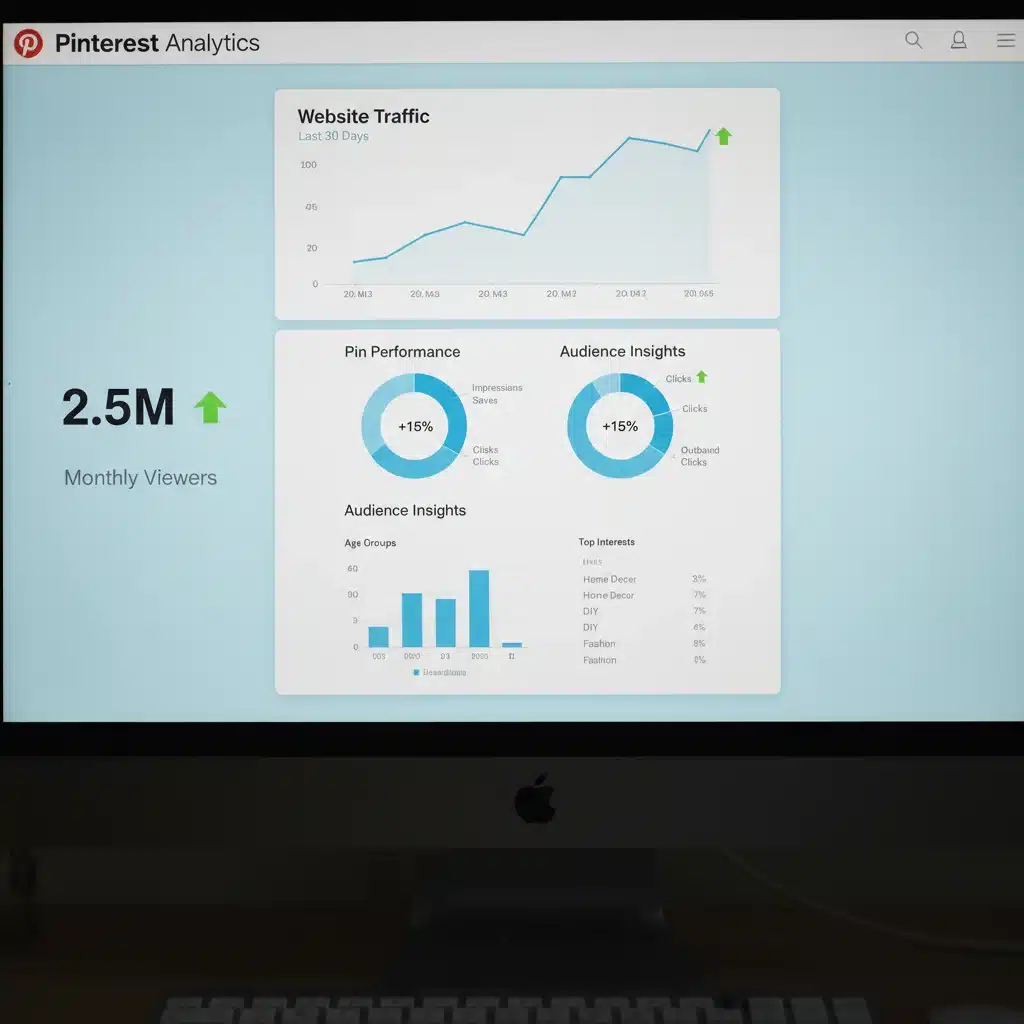
Your Pinterest Analytics dashboard is your best friend for optimizing your Pinterest visual search strategy. Monitor which pins are performing best, what boards are driving the most impressions, and what your audience is interested in. Look at metrics like impressions, saves, clicks, and outbound clicks. This data will tell you what kind of visuals and keywords resonate most with your audience, allowing you to refine your content creation and optimization efforts. Identify patterns in successful pins and replicate their elements in new content.
5. Consistent Pinning Schedule
Consistency is key on Pinterest. Develop a regular pinning schedule, whether that’s daily, a few times a week, or batch-pinning. A consistent presence keeps your content fresh in the algorithm and increases the chances of your pins being discovered through Pinterest visual search.
6. Promote Your Pins
While organic reach on Pinterest is excellent, sometimes a little boost can go a long way. Consider promoting your best-performing pins or those linked to high-value content. Pinterest Ads allow for detailed targeting, ensuring your pins are seen by the right audience, further amplifying your visual search efforts.
Tools and Resources for Pinterest Visual Search Optimization
To truly master Pinterest visual search, you’ll want to leverage a few key tools and resources:
1. Pinterest Trends Tool
As mentioned, this tool helps you discover popular search terms and topics on Pinterest, allowing you to create timely and relevant content that users are actively searching for.
2. Tailwind
Tailwind is an official Pinterest partner that offers powerful scheduling, analytics, and content creation tools. Its "SmartLoop" feature can help you re-share your best-performing pins, extending their life and reach. Its analytics provide deeper insights than native Pinterest analytics alone.
3. Canva
For creating stunning, on-brand pins quickly and efficiently, Canva is an indispensable tool. It offers thousands of templates optimized for Pinterest, making it easy to design visually appealing graphics even without extensive design experience.
4. High-Quality Stock Photo Sites
If you don’t have your own photography, invest in a subscription to a high-quality stock photo site (e.g., Unsplash, Pexels, Shutterstock, Adobe Stock). Remember, visual appeal is paramount for Pinterest visual search.
Measuring Your Success: Tracking Your 25% Traffic Goal
Achieving a 25% increase in traffic by mid-2026 requires diligent tracking and analysis. Here’s how to measure your progress:
1. Google Analytics
Set up Google Analytics to track traffic from Pinterest to your website. Pay attention to referral traffic, bounce rate, pages per session, and conversion rates from Pinterest users. This will give you a clear picture of how valuable the traffic from Pinterest visual search truly is.
2. Pinterest Analytics
Regularly review your Pinterest Analytics. Look for increases in outbound clicks, saves, and impressions. Identify which pins and boards are contributing most to your traffic. Track your audience demographics to refine your content strategy.
3. Set Benchmarks and Milestones
To reach a 25% increase, break it down into smaller, achievable milestones. For example, aim for a 5% increase every six months. This makes the goal less daunting and allows for regular adjustments to your strategy.
Common Pitfalls to Avoid in Pinterest Visual Search
While the potential is huge, there are common mistakes that can hinder your progress:
- Low-Quality Images: As emphasized, this is the biggest deterrent. Don’t compromise on visual quality.
- Lack of Keywords: Relying solely on visuals without optimizing text will limit your discoverability.
- Inconsistent Pinning: Sporadic activity signals to Pinterest that you’re not an active contributor, reducing your reach.
- Ignoring Analytics: Without data, you’re guessing. Use analytics to inform your strategy.
- Not Using Rich Pins: Missing out on valuable context and click-through opportunities.
- Irrelevant Content: Pinning content that doesn’t align with your niche confuses both users and Pinterest’s algorithm, hurting your Pinterest visual search performance.
Future-Proofing Your Pinterest Visual Search Strategy
The digital landscape is always changing, and Pinterest is no exception. To ensure your strategy remains effective, keep these points in mind:
1. Stay Updated with Pinterest Algorithm Changes
Pinterest frequently updates its algorithm. Stay informed by following Pinterest’s official business blog and reputable industry news sources. Adapt your strategy as new features are rolled out or priorities shift.
2. Experiment with New Pin Formats
Pinterest is constantly introducing new ways to create and share content. Be an early adopter of new pin formats or features that align with your brand. This can give you an edge and potentially higher visibility in Pinterest visual search results.
3. Focus on User Experience
Ultimately, Pinterest wants to provide the best possible experience for its users. This means not only high-quality pins but also ensuring that the content linked to your pins is valuable, easy to navigate, and mobile-friendly. A poor landing page experience will lead to high bounce rates, signaling to Pinterest that your content isn’t relevant, regardless of how well optimized your pin is for visual search.
4. Build a Community
While Pinterest is less about social interaction, engaging with your audience can still be beneficial. Respond to comments, follow relevant boards, and participate in group boards (if they are still active and relevant to your niche). A vibrant community around your content can indirectly boost its visibility and saves, feeding into the Pinterest visual search algorithm.
Conclusion: Your Path to 25% More Traffic Through Pinterest Visual Search
Mastering Pinterest visual search is a powerful, yet often underutilized, strategy for driving substantial, high-quality traffic to your website. By focusing on visual excellence, strategic keyword optimization, consistent content creation, and diligent analytics review, you are well on your way to achieving that ambitious 25% traffic increase by mid-2026. Pinterest offers a unique opportunity to connect with an audience actively seeking inspiration and solutions – an audience ready to be converted.
Start implementing these strategies today, monitor your progress, and adapt as needed. The visual web is here to stay, and Pinterest remains at its forefront, offering an unparalleled platform for discovery and growth. Your journey to increased visibility and traffic starts now. Happy Pinning!